




Full Observability, 1-Second Granularity, and
Intelligent Troubleshooting
I. Introduction: What is NetData and Why
Administration Requires ‘Live’ Data
Administering a modern, heterogeneous infrastructure in a home lab or a small-to-medium enterprise (SME) presents the SysAdmin with unique challenges. The necessity of monitoring a critical TrueNAS SCALE server running on Debian, several Ubuntu Server Virtual Private Servers (VPSs), and a daily-use Ubuntu Desktop machine demands a solution that is not only powerful but also flexible and—most importantly—does not excessively burden the systems being monitored.
In traditional monitoring, based on collecting metrics every 15, 30, or even 60 seconds, crucial, fleeting events often go unnoticed. These events, lasting for a fraction of a second (micro-anomalies or sudden load spikes), are typically the root cause of hard-to-diagnose performance issues. To effectively conduct active diagnostics and quickly troubleshoot problems, it is essential to transition to the concept of Real-time Observability.
NetData is a tool specifically designed for this purpose. Its unique edge-oriented monitoring architecture enables the collection, analysis, and visualisation of data with extremely high density. This is a key asset for any administrator who wants to ensure that their critical infrastructure—from ZFS disk arrays to web services on a VPS—is running optimally.
II. NetData: Edge-Oriented Architecture and Its Fundamentals
NetData’s fundamental advantage over many classic monitoring systems is its architecture, which combines distributed intelligence with an exceptionally low system overhead.
Granularity and Performance: Technological Advantages
NetData has been engineered to minimally impact the performance of the monitored system. This low overhead is critical, especially for the Ubuntu Desktop, where the administrator does not want the monitoring tool to consume CPU or I/O resources during intensive work or leisure. Furthermore, if the monitoring agent consumes a significant portion of the computing power, it introduces noise into the very data it is supposed to measure, undermining the entire purpose of monitoring. NetData, thanks to its lightweight nature, eliminates this problem, allowing for accurate measurements even on machines with low resources, such as some VPSs.
A distinguishing feature of NetData is its standard 1-second granularity in metric collection and storage. This data density is essential for capturing sudden, short-lived load spikes, high disk latency, or network overload issues that traditional polling tools (e.g., every 15-30 seconds) simply average out or ignore.
Zero-Config and Rapid Time-to-Value (TTV)
The traditional deployment of a full monitoring stack (such as Prometheus, Grafana, and Node Exporter) is a multi-step process that requires manual configuration, dashboard building, and alert rule writing. This drastically lengthens the time from the decision to monitor to obtaining valuable insights (TTV).
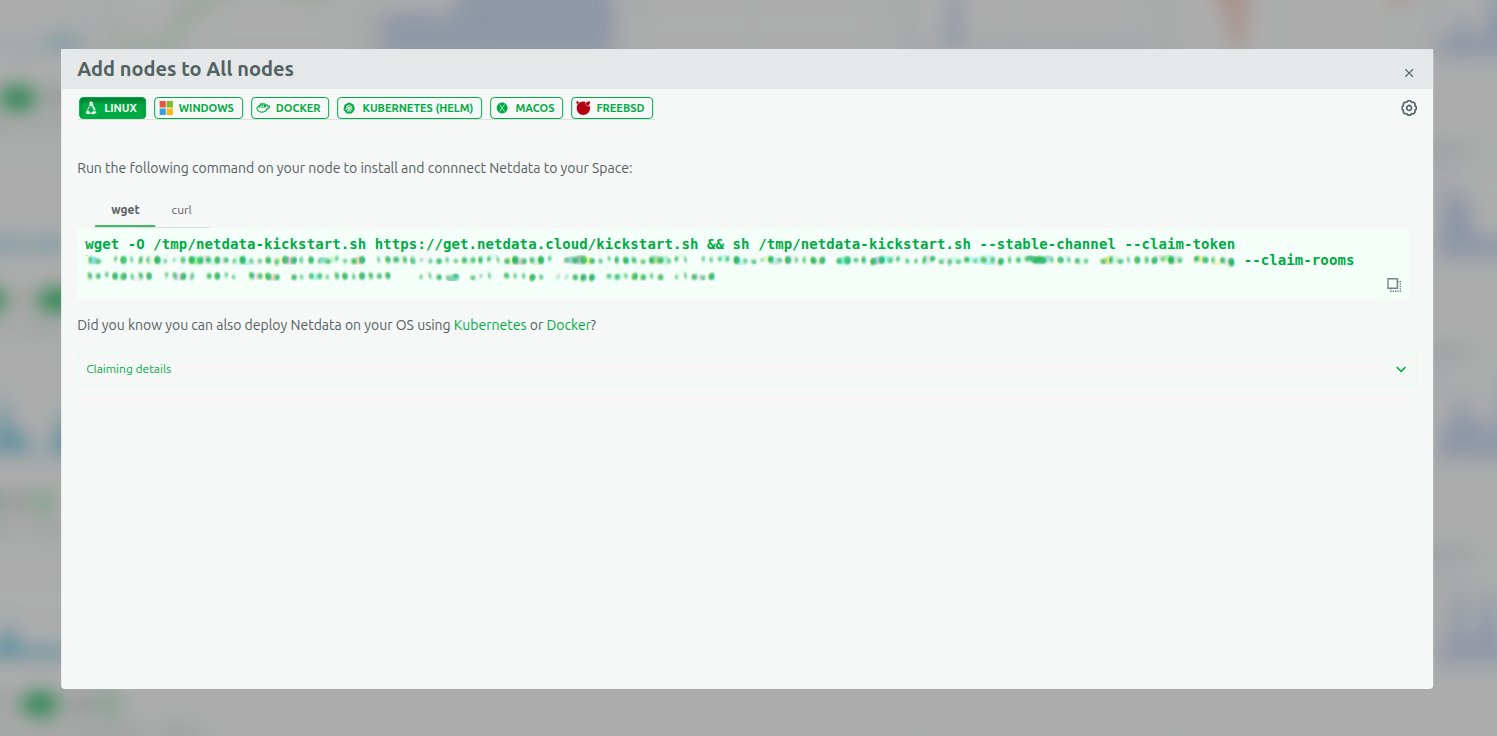
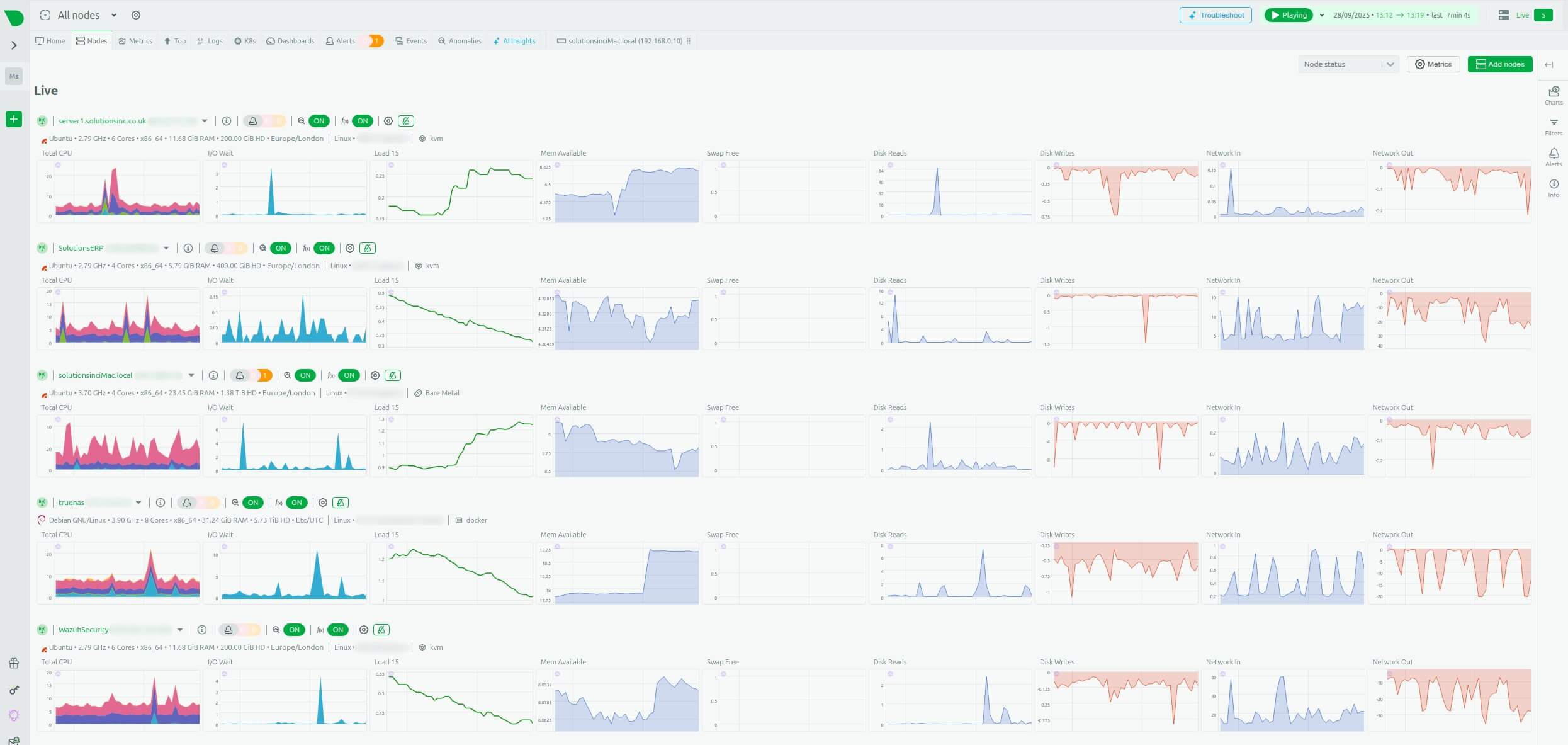
NetData diametrically shortens this process. The agent automatically detects hundreds of applications and system metrics without the need for manual configuration (Zero-Config). Installation is reduced to copying and running a single script (e.g., via NetData Cloud), allowing for the rapid connection of all nodes (called ‘nodes’ in NetData)—TrueNAS, Desktop, and VPS—to a central workspace.
Built-in Visualisation and Analysis
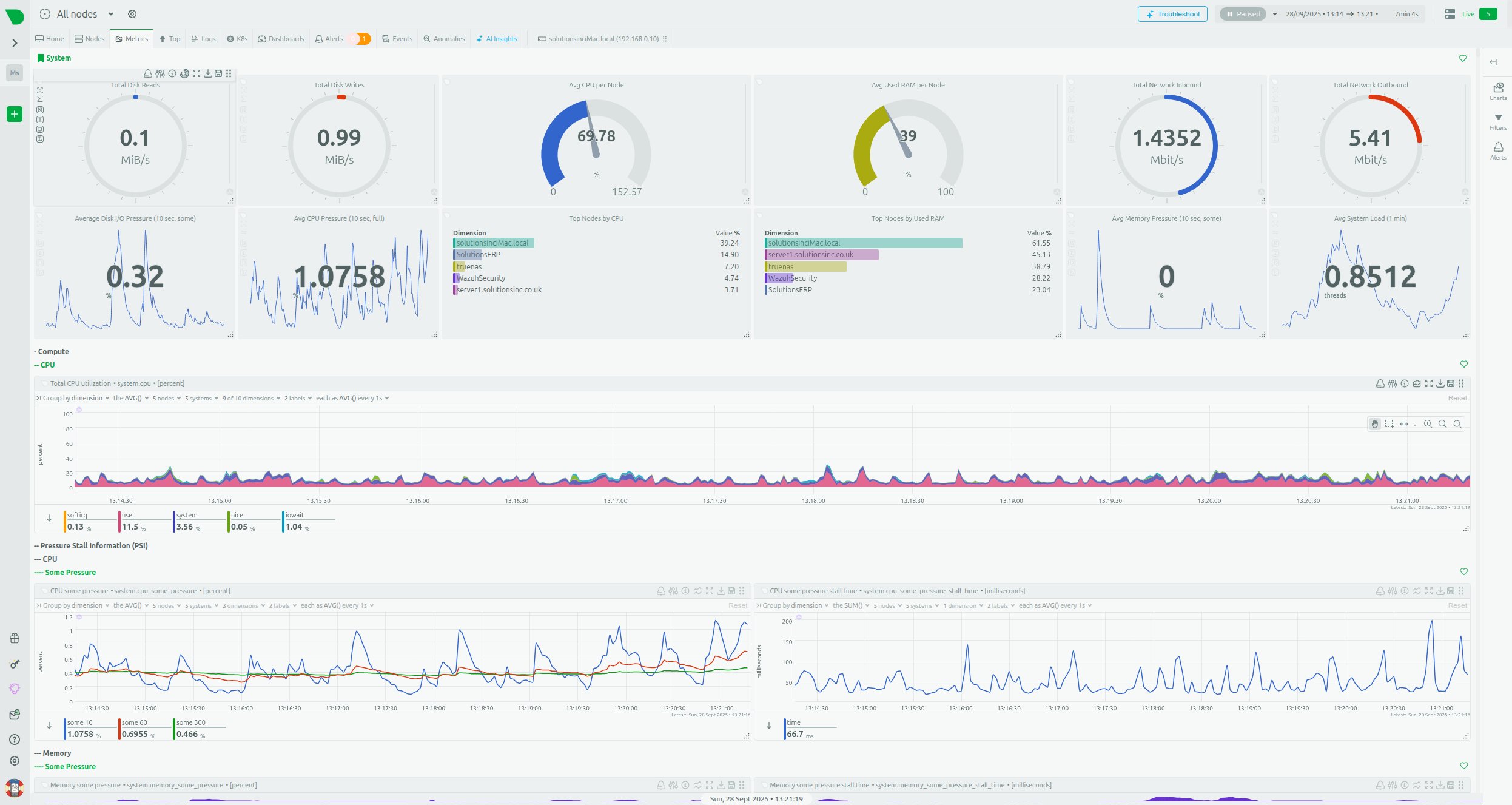
NetData provides rich, interactive dashboards immediately upon installation. Visualisation is integrated with the agent, eliminating the need to integrate and maintain external data presentation tools, such as Grafana. The dashboards provide a consolidated view of key system performance indicators, including detailed charts of CPU usage, memory pressure, and network traffic.
III. NetData in Practice: Integration with the User’s Infrastructure
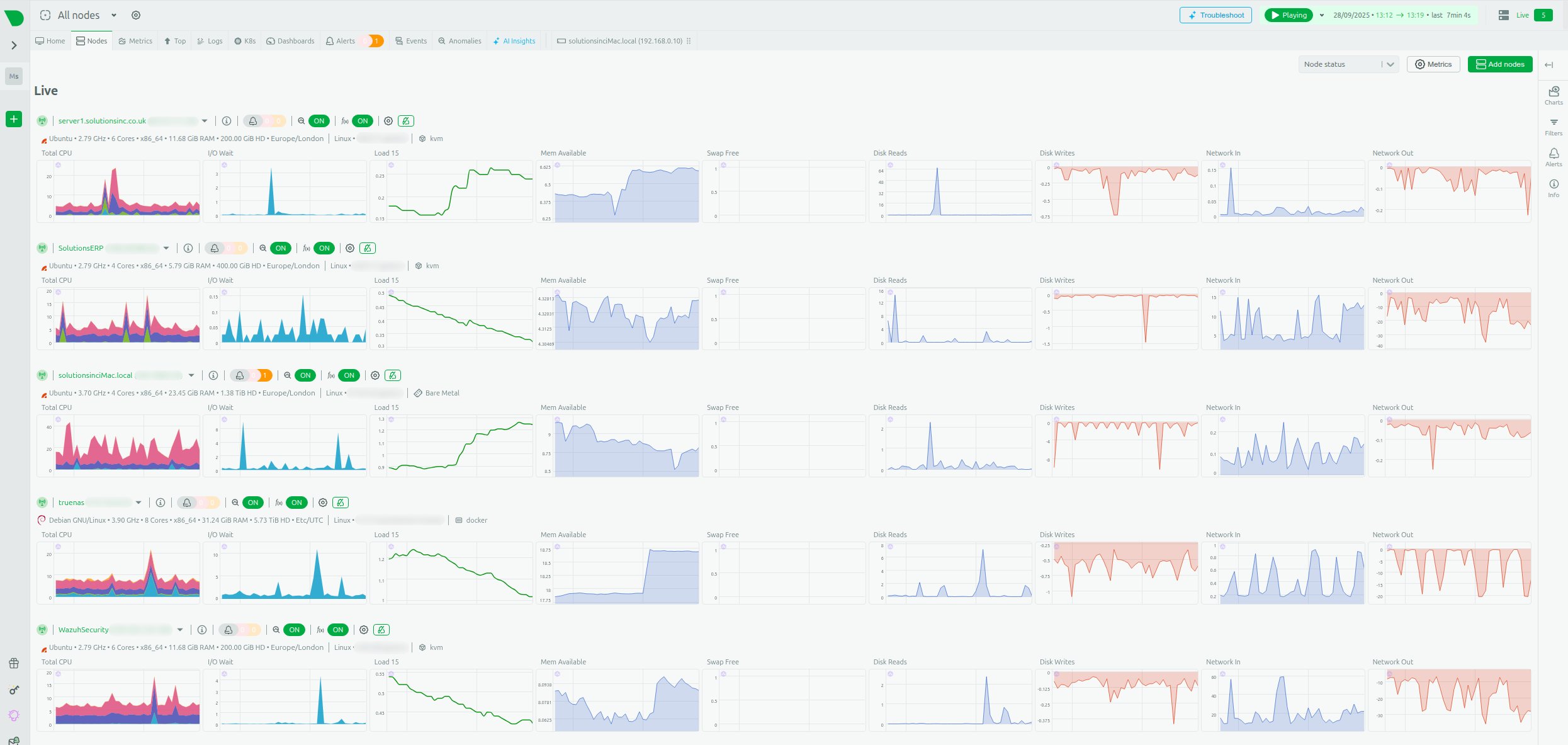
The user’s environment, consisting of machines with different roles (NAS, VPS, Desktop), requires a flexible system capable of data consolidation.
Centralisation and Scalability: Parent-Child Architecture
For effective monitoring of multiple nodes, NetData utilises a Parent-Child data streaming architecture.
- Child Nodes: Collect metrics locally at the edge (VPS, Desktop). They can be configured to run in RAM mode. This minimises I/O operations, disk burden, and resource usage on the node itself.
- Parent Node: Serves for the centralisation and long-term storage of metrics, receiving data streamed from all child nodes.
This decentralisation of collection and centralisation of storage allows for the maintenance of high performance at the edge (e.g., on resource-limited VPSs) while ensuring a secure and long data history on a dedicated central node. This provides a consolidated, live view of the entire server fleet.
Critical Monitoring of TrueNAS SCALE (Debian) and ZFS
TrueNAS SCALE, as a data management platform based on Debian and using the ZFS filesystem, requires specialist monitoring to ensure data integrity and performance.
NetData offers native and in-depth support for ZFS. After installation, which is simplified by the availability of a dedicated TrueNAS SCALE application, the agent automatically collects key ZFS pool metrics.
These metrics include:
- ZFS Pool Space Utilisation (
zfspool.pool_space_utilization): Percentage of space used, critical for capacity planning. - Pool Fragmentation (
zfspool.pool_fragmentation): An indicator which, if high, can negatively affect I/O performance. - Pool Health State (
zfspool.pool_health_state): Information on whether the pool is online, degraded, faulted, or unavailable.
By leveraging 1-second granularity, the administrator is able to proactively detect temporary disk I/O problems or subtle ZFS pool degradation before they become catastrophic. Traditional tools often require complicated scripts to extract these detailed kernel metrics, whereas NetData provides them natively.
Optimisation and Troubleshooting VPS (Ubuntu Server)
For VPSs, where resources are often limited, rapid identification of resource-consuming processes is key.
NetData provides full visibility:
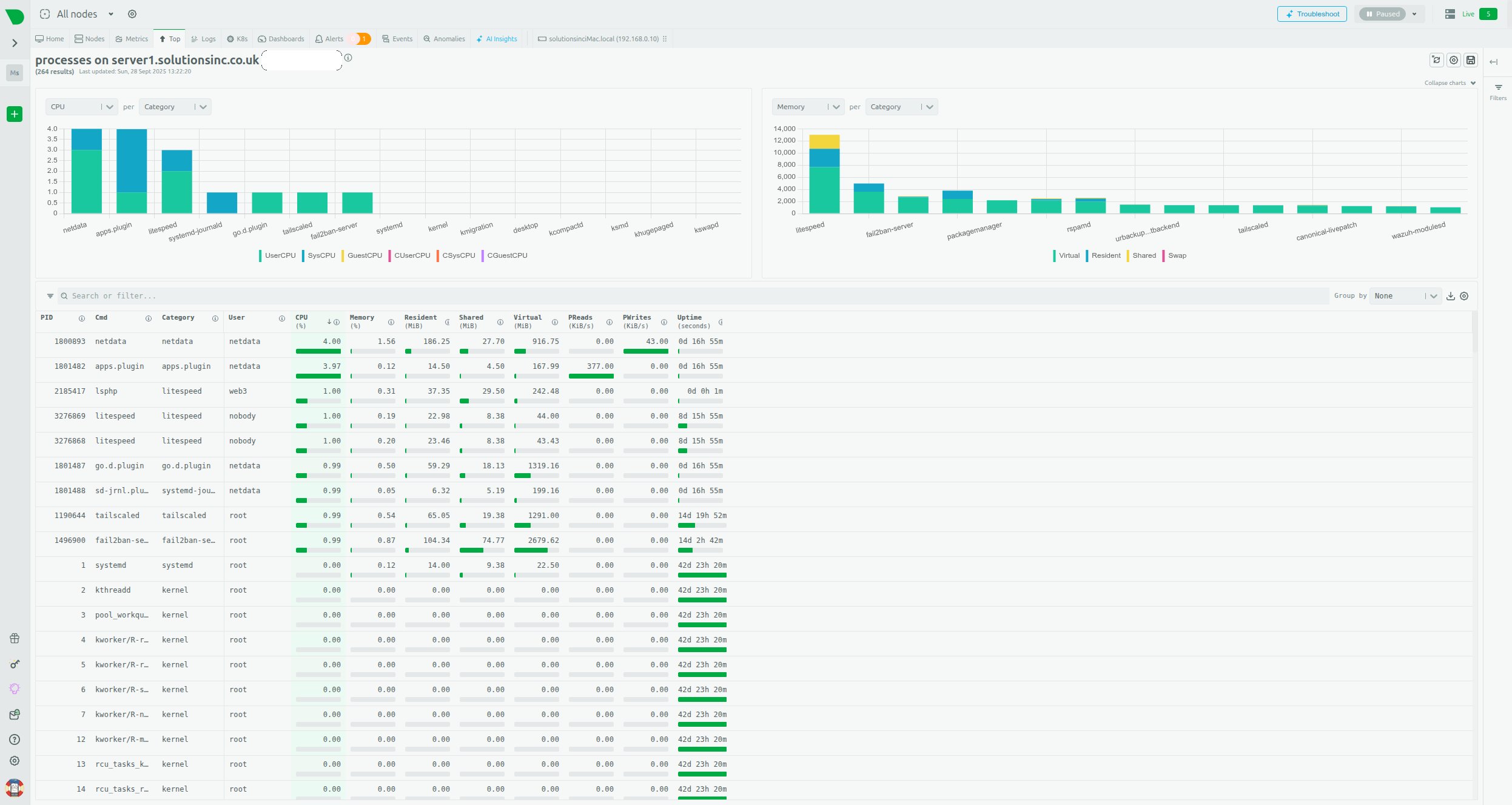
- Processes: This view presents a detailed table and charts of resource consumption (CPU, memory, I/O) at the individual process level, allowing for the immediate identification of resource-intensive applications (e.g., web server, database).
- System Resources: Aggregates of CPU usage (time spent on user vs. system processes), memory consumption, and disk I/O operations (latency, throughput) are monitored in real-time.
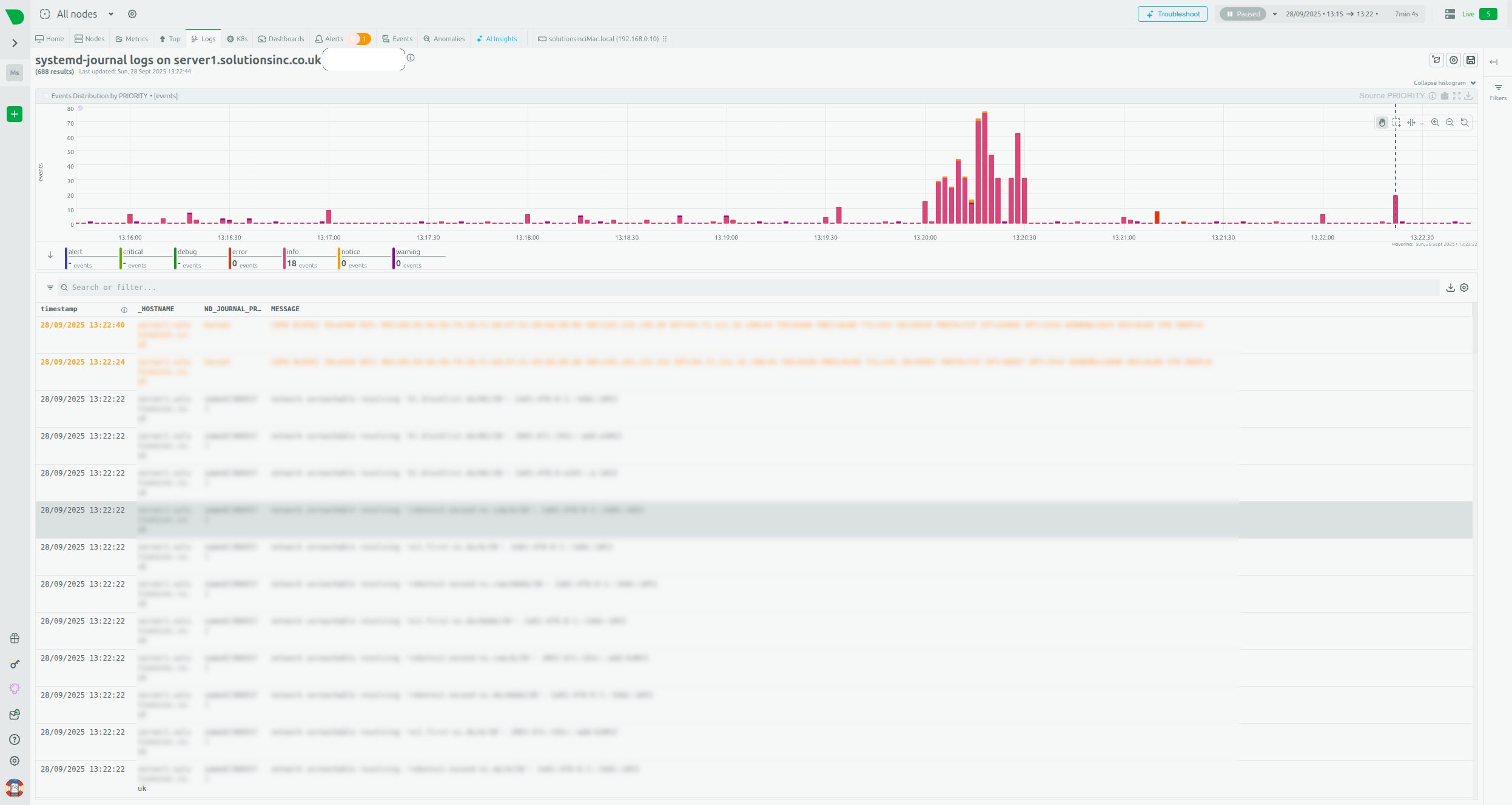
- Log Monitoring: NetData can monitor log files and system journals, such as
systemd-journal, which is essential for diagnosing web application errors or network issues.
IV. Intelligent Troubleshooting and Early Warning
Another powerful tool built into NetData, which automates the work of the SysAdmin, are the analytical mechanisms based on machine learning.
Built-in Anomaly Advisor
NetData moves beyond simple static alerts based on thresholds (e.g., “if CPU>95%”). It uses built-in Machine Learning algorithms to continuously learn typical system behaviour patterns.
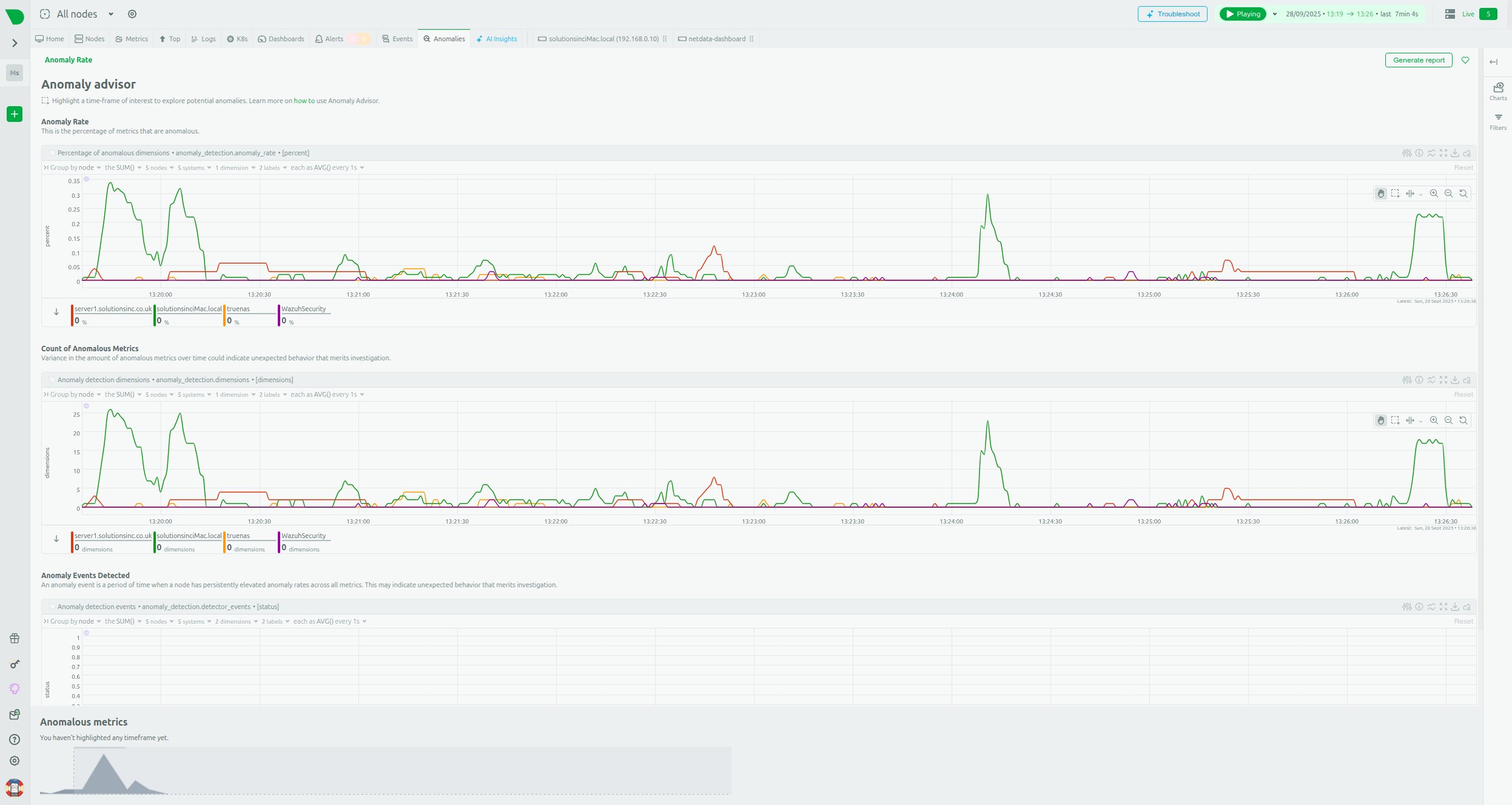
The Anomaly Advisor detects unusual patterns in the system, even if the metric has not crossed a traditional, rigid threshold. Charts such as “Anomaly Rate” and “Cost of Anomalous Metrics” allow the administrator to see when the system started behaving differently than it had in the past.
The shift from rule-based alerting to ML-based anomaly detection is a change from a reactive to a proactive model. This allows for the detection of subtle, but growing, problems (e.g., gradually increasing TrueNAS disk latency or unusual network traffic on a VPS) long before traditional static alerts would be triggered. This significantly shortens the Mean Time To Repair (MTTR).
Health Monitoring System
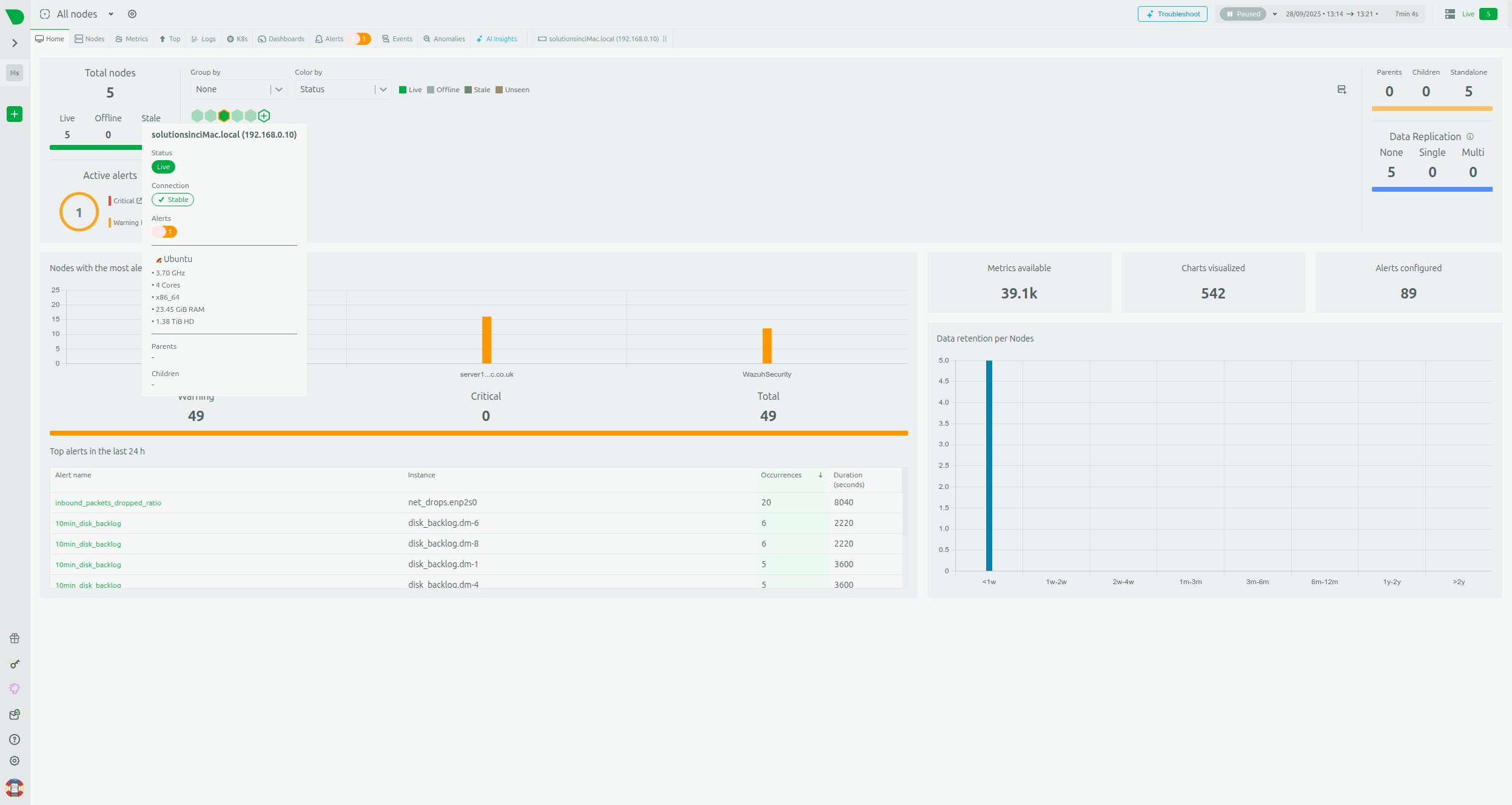
NetData offers a built-in Health Monitoring system and alerts. This mode presents a consolidated view of the status of all five nodes, showing active alerts in one place.
This system allows for easy configuration of notifications for key VPS and TrueNAS indicators, such as low free memory status, high network bandwidth usage, or I/O operation errors, which aligns with best practices for resource monitoring.
V. Long-Term Data Retention and Integration
High 1-second granularity generates a large volume of data. NetData effectively manages this challenge through flexible storage configuration.
Flexible Data Retention Engine
NetData allows for strategic data management, separating RAM-mode storage from long-term disk retention.
- RAM Mode: Edge nodes (Child nodes, e.g., VPS or Desktop) can be configured to use memory mode (
[db] mode = ram), which minimises disk I/O and overhead—particularly desirable in a Home Lab environment. However, this data is temporary and lost after a restart. - Tiered Storage (Parent Node): The central node (Parent node) uses a database engine with multi-level storage. This allows the administrator to define different retention intervals for different data layers, e.g.:
- Tier 0: 30 days of metrics with full granularity (1s).
- Tier 1: 6 months of averaged data.
- Tier 2: 5 years of archival data.
Thanks to the Parent-Child architecture, the burden of long-term storage and complex queries is offloaded from the Child nodes (which can run in RAM mode) to the dedicated, more powerful Parent node. This allows for a consolidated, live view of the entire server fleet.
Flexibility and Export of Metrics to External Systems
NetData is highly flexible and does not lock the administrator into a single ecosystem. The agent features an advanced export engine, capable of sending metrics to over thirty different Time-Series Databases (TSDBs), including InfluxDB, Graphite, and ElasticSearch.
It is also possible to configure the export with downsampling, which allows for sending averaged data (e.g., every minute) to archival databases, while retaining the full 1-second granularity in the local NetData agent for diagnostic purposes.
Integration with Prometheus
In the context of IT infrastructure, the ability to integrate with the popular Prometheus/Grafana stack is often desirable. In this scenario, NetData acts as an efficient, zero-configuration collector at the edge, feeding the central Prometheus data store. This can be achieved in two ways:
- Pull (Scraping): Configuring Prometheus to scrape metrics from NetData.
- Push: Configuring NetData to actively send metrics to Prometheus using the remote write API.
This flexibility allows the administrator to benefit from NetData’s immediate troubleshooting and visualisation, while simultaneously using PromQL and Prometheus’s long-term retention, without sacrificing high granularity at the edge.
VI. NetData vs. Alternatives: An Architectural Showdown
For a SysAdmin who must choose the ideal tool for managing their infrastructure, it is essential to compare NetData with the most popular alternatives, especially in terms of architecture and resource efficiency.
A. NetData vs. Prometheus/Grafana: Distributed vs. Centralised Pull Philosophy
Prometheus and NetData represent fundamentally different monitoring philosophies.
- Prometheus: Based on a Centralised Pull architecture. The Prometheus server actively polls targets (via Node Exporter or other exporters) every 15-30 seconds.
- NetData: Utilises Distributed Intelligence. The agent actively collects and processes data locally, using a Push/Streaming model for centralisation in the Parent Node.
Key differences emerge when attempting to achieve high data granularity:
| Architectural Feature | NetData | Prometheus + Grafana |
| Data Collection Model | Distributed Intelligence/Push (Streaming) | Centralised Pull (Scrape) |
| Default Granularity | 1 second (Native Real-time) | 15-30 seconds (Requires reconfiguration and significant resources for 1s) |
| Time-to-Value (TTV) | Instant (Zero-config, built-in dashboards) | Long (Requires configuration of 3+ components) |
| Resource Overhead for 1s Granularity | Very low | Extremely high (significant RAM and I/O) |
For the administrator of a small Home Lab with limited server resources on the Parent node, NetData is significantly more efficient. Performance tests show that to maintain 1-second granularity for a large number of metrics, Prometheus required over 500 GiB of RAM to remain stable and consumed significantly more CPU resources than NetData (15 cores vs. 9 cores in comparative tests). Furthermore, Prometheus, despite consuming 1 TiB of disk space, was only able to retain about 2 hours of per-second data, whereas NetData offers a much more efficient approach to high-density data retention.
B. NetData vs. Zabbix: Polling vs. Learning Curve
Zabbix is a powerful tool, especially for monitoring simple network devices (SNMP), but its architecture and approach are more traditional.
In large environments, Zabbix typically relies on a Polling model (querying agents). Compared to NetData’s push/streaming model, polling can lead to higher CPU usage on the monitoring server and greater delays in data updates at the client in low-latency scenarios.
Moreover, Zabbix has a much steeper learning curve and requires a large configuration effort. The administrator must manually define ‘items,’ ‘triggers,’ and ‘templates.’ NetData offers near-instant detection and pre-configured alerts.
In large Zabbix installations, despite adding CPU and memory resources, the central server often encounters disk I/O bottlenecks, leading to queue build-up and instability. The NetData Parent-Child architecture, which distributes the load to the edge nodes, is much more resilient to this type of central overload.
C. Comparison of Data Retention Strategies
It is crucial for the administrator to understand how to manage the high-density data generated by NetData:
| Node | Database Mode | Recommended Retention | Key Benefit |
| Child Node (VPS, Desktop) | RAM (Memory Mode) | A few hours (or until restart) | Maximum resource efficiency; zero disk I/O. |
| Parent Node | DB Engine (Tiered Storage) | Months to years (configurable) | Security and long-term history, optimal downsampling. |
| External Node | Export to InfluxDB/Prometheus | Unlimited (dependent on external DB) | Using NetData as an efficient edge collector. |
VII. Summary and Final Recommendations
NetData is the optimal choice for an administrator managing a hybrid Home Lab or SME environment, such as Ubuntu Desktop, TrueNAS SCALE, and VPSs. The system offers an ideal balance between performance, ease of use, and analytical depth.
The NetData architecture addresses critical problems in this scenario:
- Low Overhead on Desktop and VPS: The lightweight agent minimises performance impact, and RAM mode on Child nodes eliminates disk I/O burden.
- Critical ZFS Observability: Native support for ZFS pool metrics (fragmentation, health status) is essential for maintaining TrueNAS data integrity.
- Instant Troubleshooting: 1-second granularity, combined with the built-in Anomaly Advisor (Machine Learning), enables the shift from reactive monitoring to proactive problem detection.
- Speed of Deployment (TTV): Thanks to the Zero-Config architecture and built-in dashboards, the system is ready immediately after installation, saving time that would otherwise be spent on configuring Prometheus and Grafana in traditional stacks.
While alternatives such as Prometheus and Zabbix are powerful, they require significantly more effort, are less resource-efficient at high granularity (especially Prometheus), and do not offer built-in, intelligent anomaly analysis.
For the administrator who wants to consolidate monitoring of their entire infrastructure in one place and obtain the fastest possible diagnosis of problems, NetData provides the most comprehensive and cost-effective solution. Getting started is simple: just use NetData Cloud to generate the installation script and connect all nodes, gaining full real-time visibility.
Leave a Reply