



The Mid-2011 27″ iMac remains a stunning piece of hardware. With its massive 1440p display, solid aluminium chassis, and a processor that still holds its own after all these years, it’s hard to let go. However, as users of vintage Apple gear, we often face a dilemma: stick with an outdated macOS or switch to Linux? I chose the latter, but the journey to perfection was far from straightforward.
Today, I’ll share why, after a brief and rather painful stint with the latest Ubuntu 25.10, I decided to settle on Linux Mint 22.2 Cinnamon. Although I had previously used Mint on budget laptops for its lightness, this is my first real adventure with it on the iMac – and it has been an absolute game-changer.
Machine Specifications
- Model: iMac 27″ Mid-2011
- CPU: Intel Core i5-2500S @ 2.70GHz (4 cores)
- GPU: AMD Radeon HD 6770M (Turks family)
- System: Linux Mint 22.2 “Wilma” (Cinnamon Edition)
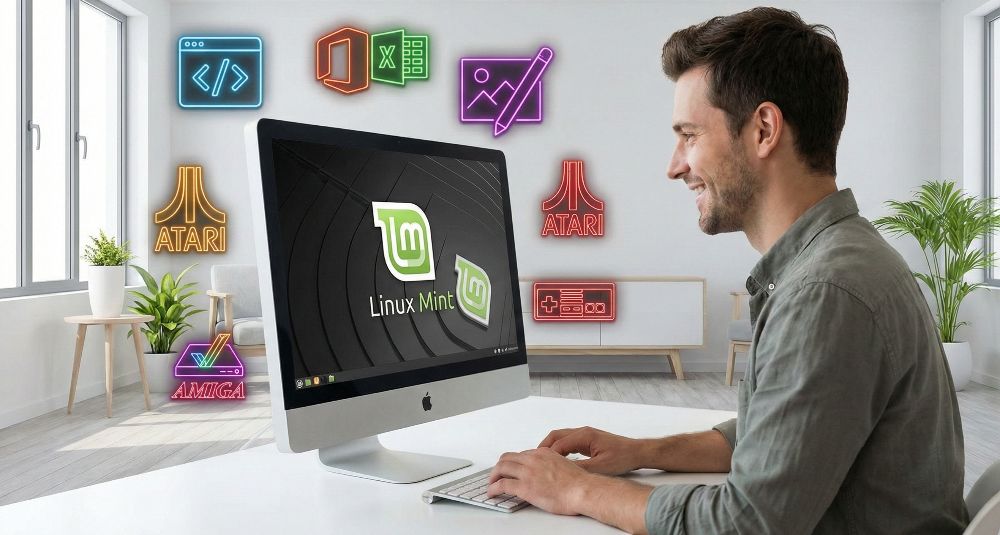
Parting Ways with Ubuntu: The Wayland Curse
Ubuntu 25.10 prioritises modernity, which is usually a virtue in the IT world. Unfortunately, for older AMD graphics cards, “modernity” translates to the aggressive pushing of the Wayland protocol and the gradual phasing out of X11 support.
The system, which is simply not polished enough for older Mesa drivers under Wayland, presented me with a litany of issues:
- A total lack of hardware acceleration in web browsers (everything was rendered by the CPU, which throttled the i5).
- RetroArch issues – emulators (Cores) refused to launch, and when they did, it resulted in visual artefacts and unbearable screen flickering.
- General instability – the interface would “freeze” for several seconds without any apparent reason.
Why Linux Mint 22.2 Cinnamon?
Linux Mint 22.2, based on Ubuntu 24.04 LTS, offers the Cinnamon desktop environment, which natively and stably supports the X11 server. For AMD HD 6000 series cards, this is a godsend. Everything just “clicks”, and the performance difference is colossal.
GPU Acceleration: Not Just for Gamers
In Linux Mint, proper hardware acceleration changes everything. The Cinnamon UI itself is GPU-accelerated, meaning window animations and system navigation are rendered instantaneously.
In my development workflow, I use Google Antigravity for coding. With hardware acceleration functioning correctly, the graphical interface of this tool is generated significantly faster, resulting in better responsiveness and a smoother experience. Furthermore, photo and video editing applications run substantially better – every operation on the timeline or filter is visible immediately, without putting unnecessary strain on the CPU.
Configuration Guide: Getting it Right
Here is how I brought this machine up to its full potential:
1. Fixing Screen Brightness (Backlight)
By default, brightness keys on an iMac under Mint often fail to respond. The solution lies in editing the GRUB parameters.
Open the terminal and type:
sudo nano /etc/default/grub
Find the line GRUB_CMDLINE_LINUX_DEFAULT and change it to:
GRUB_CMDLINE_LINUX_DEFAULT="quiet splash acpi_backlight=video"
Then, update the configuration and restart:
sudo update-grub
2. Hardware Acceleration in Brave/Chromium
Even if the system supports the GPU, browsers sometimes block older cards. To bypass this:
- Type
brave://flagsin the address bar. - Search for Override software rendering list and set it to Enabled.
- In Brave’s system settings, ensure Use hardware acceleration when available is toggled on.
The result? 1080p YouTube videos and heavy web applications run fluidly, utilising the power of the AMD Turks chip.
3. Fan Management (mbpfan)
iMacs on Linux require careful thermal management. The solution is mbpfan, which maintains the balance between temperature and noise:
sudo apt install mbpfan
sudo systemctl enable mbpfan
sudo systemctl start mbpfan
4. Apple Bluetooth Keyboard
If your keyboard connects but “won’t type”, use bluetoothctl to mark it as trusted:
bluetoothctl
# Inside the console:
devices
pair [MAC_ADDRESS]
trust [MAC_ADDRESS]
connect [MAC_ADDRESS]
Verdict: RetroArch and Development Work
On Linux Mint 22.2, RetroArch has been revitalised – PSX and N64 cores run without a single artefact. Working in code editors and graphical applications has become a pure pleasure.
Switching from Ubuntu to Mint was, for me, a return to stability and the full utilisation of the potential hidden within the 2011 iMac. If you own this hardware and want to use it for work or play, Mint with X11 is the only sensible choice.
Leave a Reply