


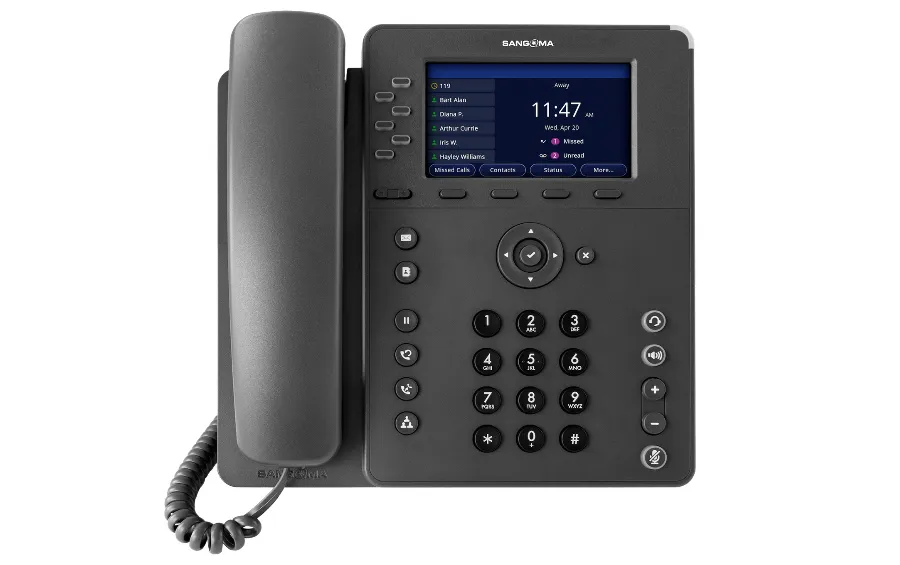

When building a VoIP system, the hardware you choose defines the user experience. For years, administrators have mixed and matched different brands, but with the introduction of the new line from the creators of the software itself, the question arises: Is Sangoma P-Series for FreePBX the best choice available on the market today?
At Phones Rescue, we have deployed countless systems across the UK. In this article, we strip away the marketing jargon to determine if these phones are the ultimate partner for your FreePBX system.
Why Consider Sangoma P-Series for FreePBX?
The primary argument for choosing Sangoma P-Series for FreePBX is the ecosystem. Sangoma owns FreePBX, which means these devices are engineered to communicate with the PBX natively. Unlike third-party manufacturers like Yealink or Fanvil, which require specific provisioning templates or paid modules to function fully, Sangoma phones offer a “Plug & Play” experience.
The Financial Incentive: Free Endpoint Manager
One of the most compelling reasons to adopt Sangoma P-Series for FreePBX is the licensing model. Typically, to manage third-party phones centrally within FreePBX, you must purchase a commercial licence for the Endpoint Manager (EPM).
With the P-Series, full EPM functionality is included in the price of the hardware. For a business deploying 50 or 100 handsets, this represents a significant cost saving and simplifies ongoing maintenance.
The “Killer Feature”: Visual Phone Apps
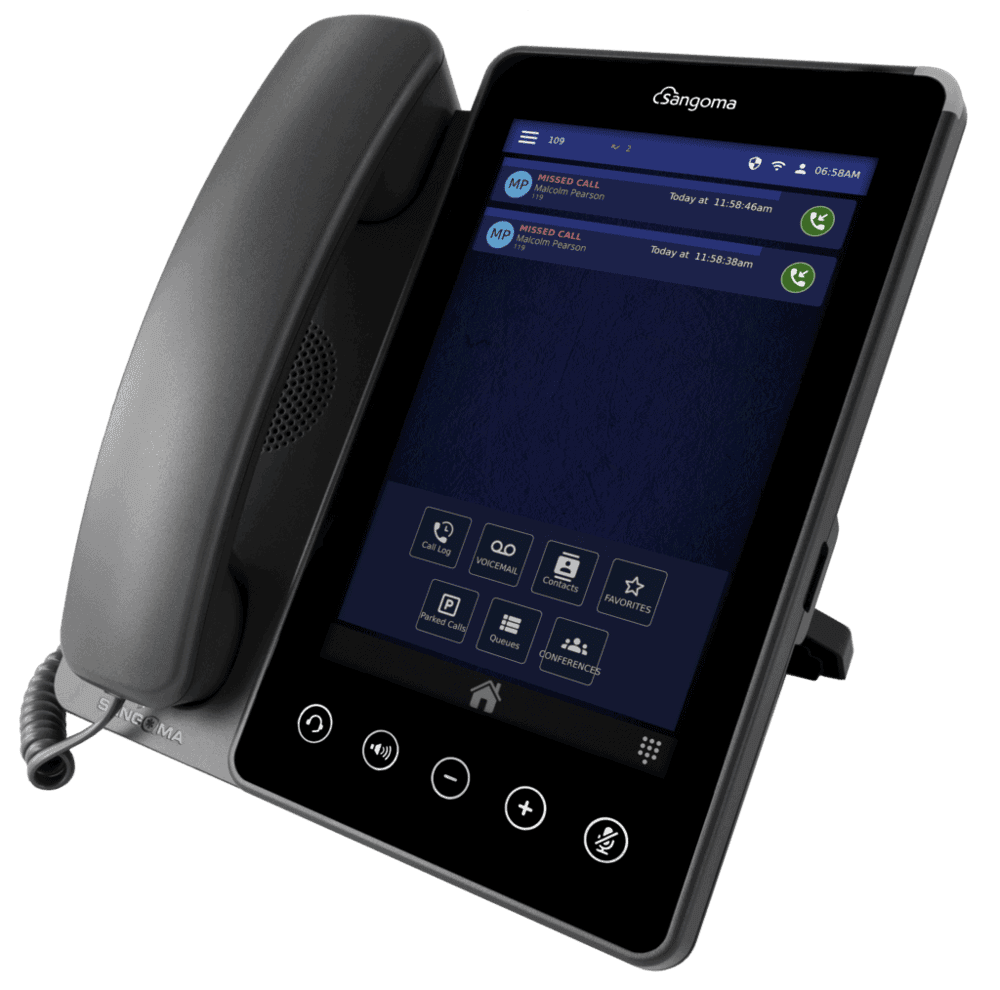
If you ask a standard office worker what they hate about VoIP, they will likely mention remembering codes like *97 for voicemail or *70 to park a call. This is where the Sangoma P-Series for FreePBX shines.
Instead of cryptic codes, the P-Series utilises the screen to provide visual applications:
- Visual Voicemail: Users can see a list of messages, complete with Caller ID and timestamps, and choose which one to play, delete, or forward—much like on a smartphone.
- Visual Parking: For receptionists and busy offices, seeing exactly which “slot” a call is parked in reduces the error of picking up the wrong line.
- Presence Management: Changing status to “In a Meeting” or “Lunch” is done via a simple menu, instantly updating the PBX routing logic.
These features transform the desk phone from a dumb terminal into a smart extension of the Unified Communications (UC) suite.
Hardware Overview: From Entry to Executive
The P-Series lineup is streamlined to cover specific business needs without unnecessary bloat.
- P310 & P315 (Entry Level): These are robust, colour-screen devices for common areas. While they lack the advanced Visual Voicemail apps, the P315 offers Gigabit networking, making it a solid choice for general staff.
- P325 (The Office Standard): This is the sweet spot for most businesses. With a 4.3″ IPS colour display and 6 line keys, it supports the full range of visual apps. It offers the best balance of price and performance.
- P330 (The Executive Choice): Designed for managers, this model adds built-in Bluetooth and Dual-Band Wi-Fi. It supports 12 lines and is the only model (alongside the P370) compatible with the PM200 Expansion Module, essential for high-volume reception desks.
Is It All Perfect? The Honest Truth
While the software integration of Sangoma P-Series for FreePBX is unrivalled, hardware enthusiasts might find points to critique.
Users transitioning from premium Yealink T5 series phones may find the P-Series build quality feels slightly lighter and more “plastic”. Additionally, while the P330 features a large physical footprint, some reviews note that the screen quality (while IPS) does not quite match the sharpness of high-end competitors.
However, Sangoma has aggressively updated the firmware throughout 2024 and 2025, addressing initial sluggishness and ensuring the interface is now snappy and reliable.
Final Verdict
So, is Sangoma P-Series for FreePBX the best choice?
Yes, if you value functionality and ease of management.
If your priority is a system that is easy to deploy, saves on licensing costs, and offers users advanced features like Visual Voicemail without training, the P-Series is the logical winner. The integration is seamless, and the “Zero Touch” provisioning saves hours of installer time.
Consider alternatives if hardware feel is paramount.
If you require a heavy, metallic-feel phone or specific hardware buttons found on legacy devices, brands like Yealink remain strong contenders, albeit with a higher configuration overhead.
For most modern businesses using FreePBX, the synergy between Sangoma software and P-Series hardware offers a user experience that is hard to beat.
Do you need help configuring your P-Series devices?
Contact the experts at Phones Rescue for professional deployment and support.
Leave a Reply